Shot Page
Shot Page
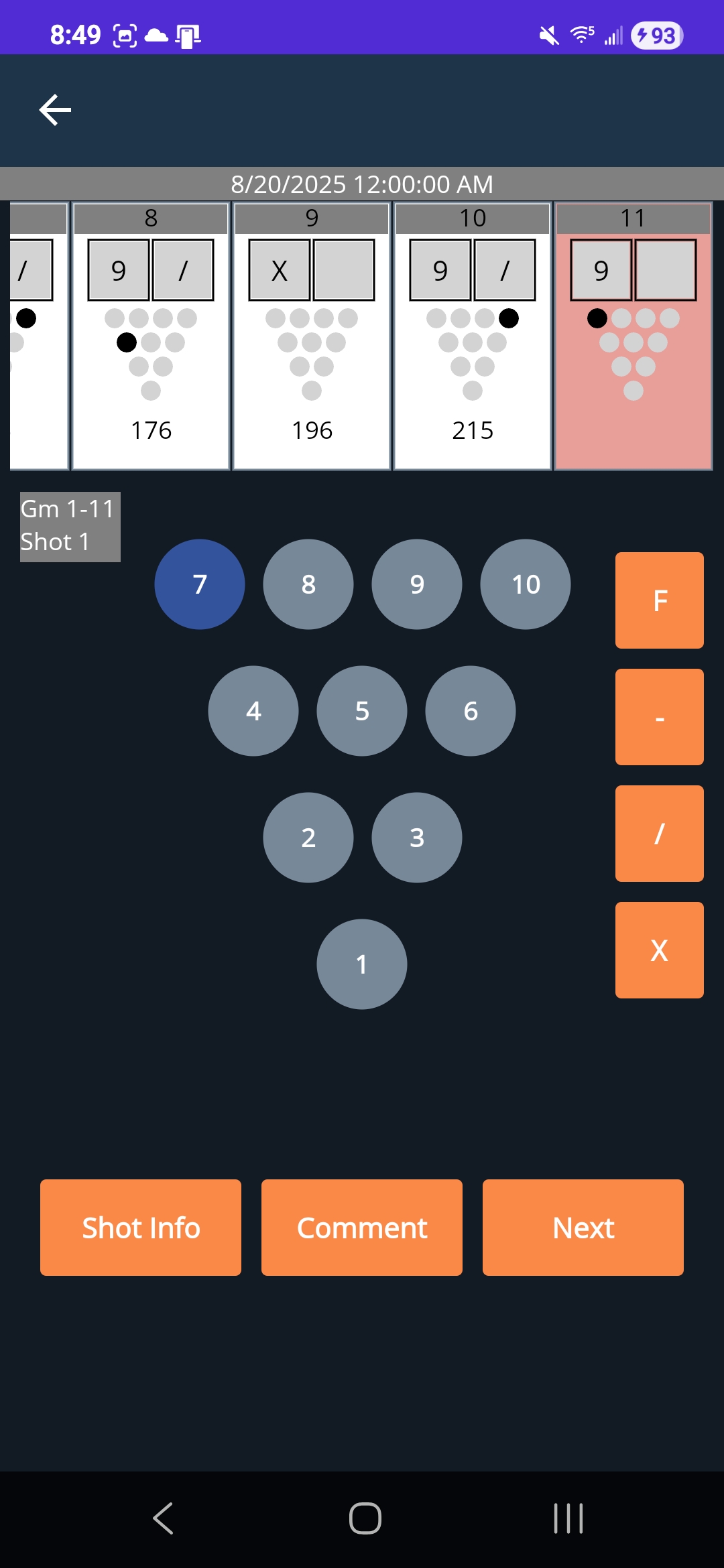
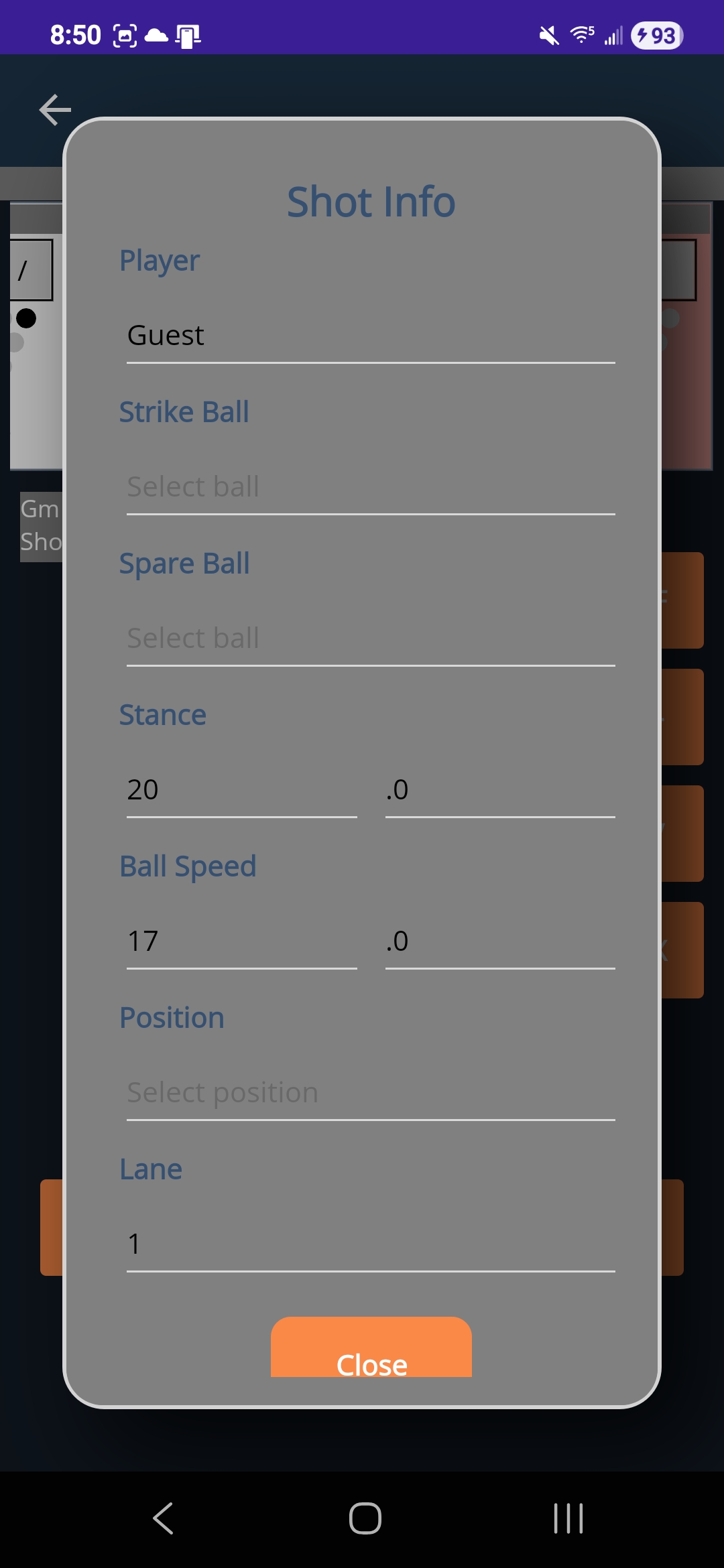
The shot page is one of the core pages of the mobile application. This page allows users to input and save shot data. The page features a session date at the top of the page. Below that is a scrollable collection of frames. Each frame contains a frame number, boxes for the shot 1 and 2 pin count, a visual representation of the pinstates, and the game score. The current frame is highlighted in red. Users can click on a frame to edit it, and click on one of the two boxes at the top of the frame to edit a specific shot. On the left side of the screen below the frame collection there is text displaying the game number, frame number, and shot number. The center of the screen features 10 buttons representing the 10 pins as oriented the same way they would be seen in a bowling alley. These buttons are used to select which pins were left standing on each shot. To the right of the pin buttons are 4 shortcut buttons for foul, gutter, spare, and strike. Finally, at the bottom of the interface there are 3 buttons. The ‘Shot Info’ button opens up a popup where additional shot info can be selected. This info includes player (not currently used), strike ball, spare ball, stance, ball speed, position, and lane number. The “Comment” button displays a popup that allows users to input a comment for their current shot. If editing a shot, the comment can be edited and resaved. The “Next” button is used to submit the player’s shot information and progress through the game.
The shot page does have some functionality restrictions based on bowling rules.
Shot 1 Restrictions
- Spare button becomes unresponsive
Shot 2 Restrictions
- Strike button becomes unresponsive
- Pin buttons that were down on shot 1 become unresponsive on shot 2
| Shot Page | Shot Info Popup |
|---|---|
|
|