Account
Account Page
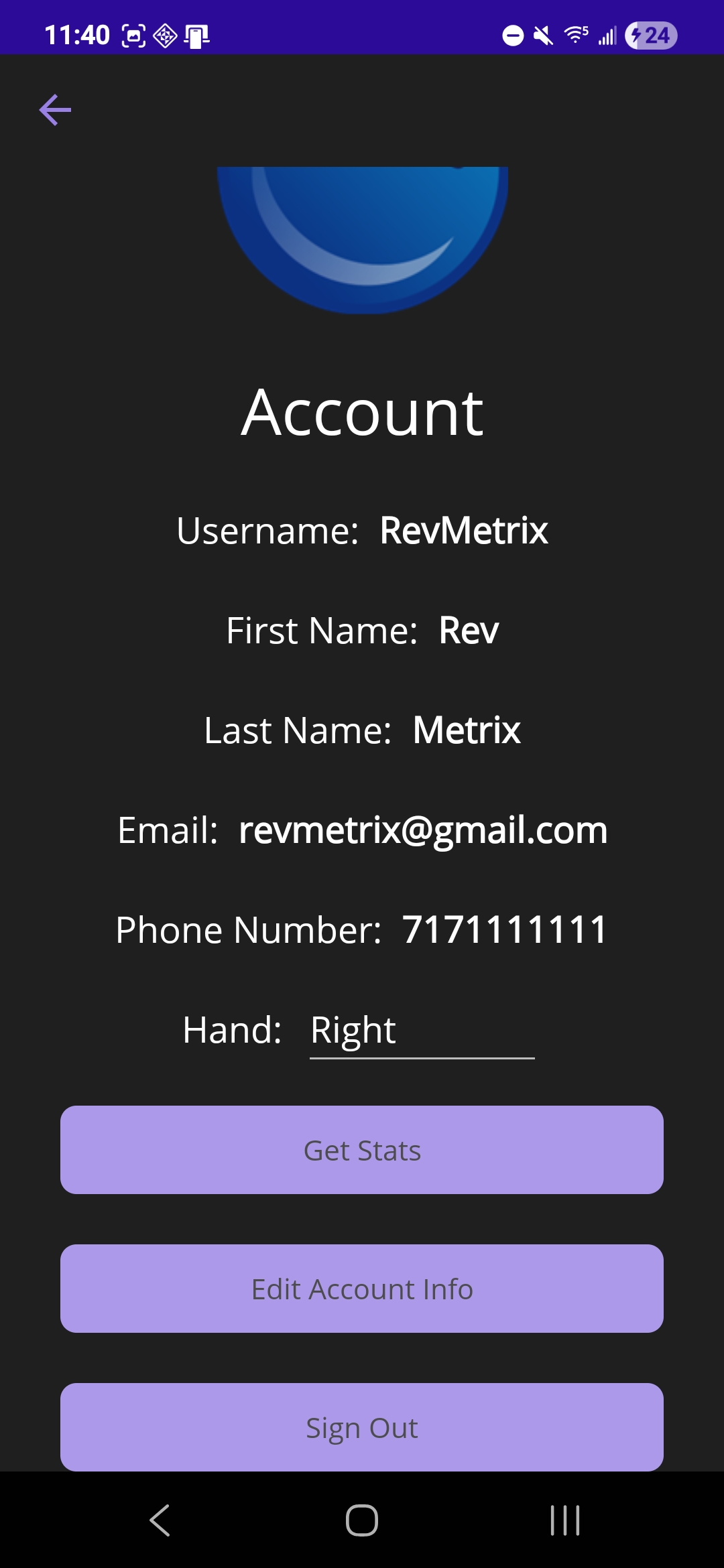
The account page displays the account information for the currently signed in user. Below this information is a drop down for “Hand”. This allows the user to specify whether they are left or right handed. This information is saved to the database and used on the shot page for the board slider. The “Get Stats” takes users to the stats page. The “Edit Account Info” button sends users to the edit account page to change their information. Finally the “Sign Out” button signs the user out of the app and sends them back to the main page.
 |
|---|
Edit Account Page
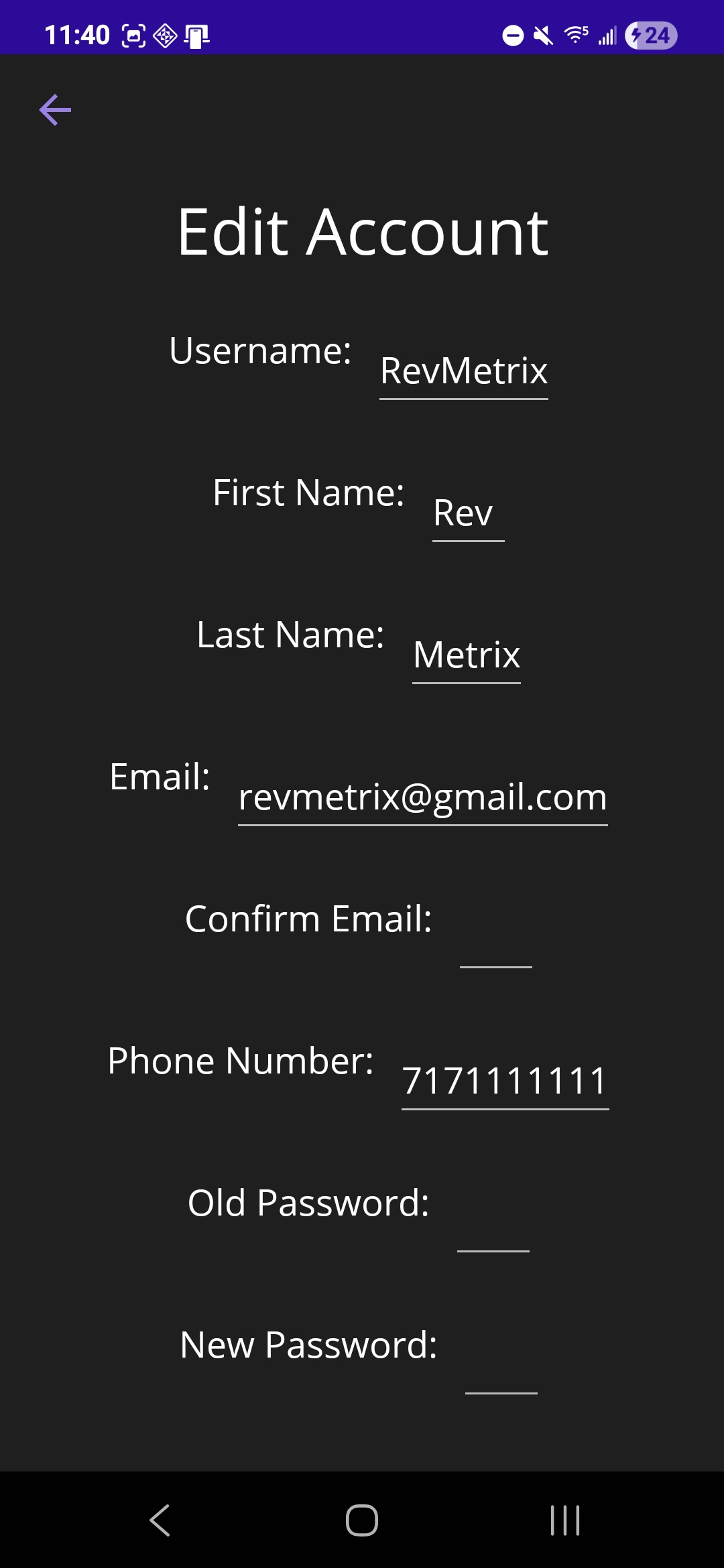
The edit account page can only be accessed through the account page. This page displays the user’s account information in editable entry fields. The user can change the information in each field and then click “Save Changes” at the bottom of the screen. If the changes are valid, they will see them updated on the account page. For changing an email address or password, the user must enter the new one twice to prevent a mistake.
 |
|---|