Settings
Settings Page
 |
|---|
 |
| :–: |
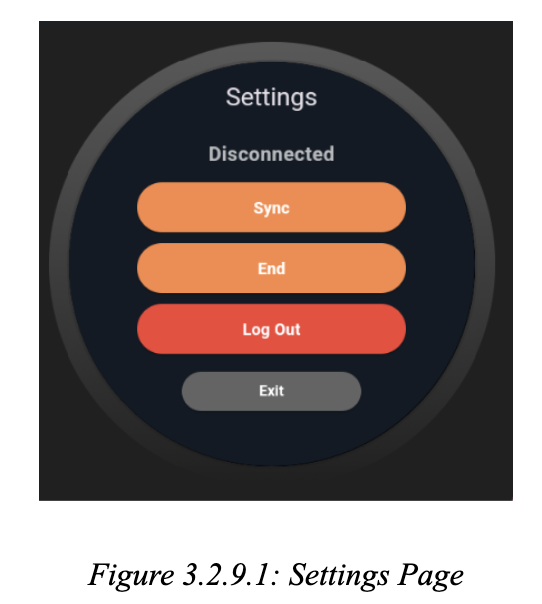
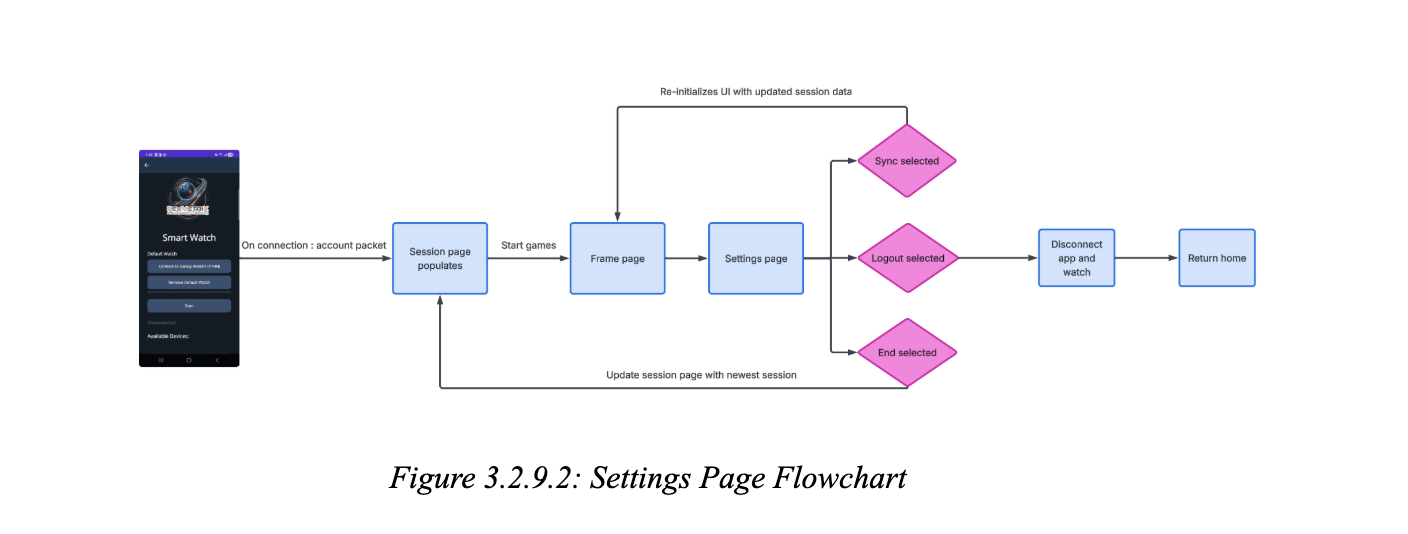
The Settings Page is a stateful widget providing advanced controls for BLE and session management, primarily for development and testing. It uses GetX’s Obx to display real-time BLE connection status and device address, and provides buttons for session synchronization, session ending, and logout. Each action is guarded with local state flags to prevent duplicate operations, and all BLE commands are dispatched via the BLE manager. The session synchronization and ending logic includes asynchronous BLE command dispatch, error handling, and navigation to the Sessions Page upon completion. The logout logic disconnects BLE, clears the session, and navigates back to the home page, ensuring a clean application state. As you can see in Figure 3.2.9.1, the page’s UI is constructed with a column layout, using custom-styled buttons and conditional rendering based on BLE and session state. In Figure 3.2.9.2, you can see how each button interacts with the system.