Game Page
Game page
 |
|---|
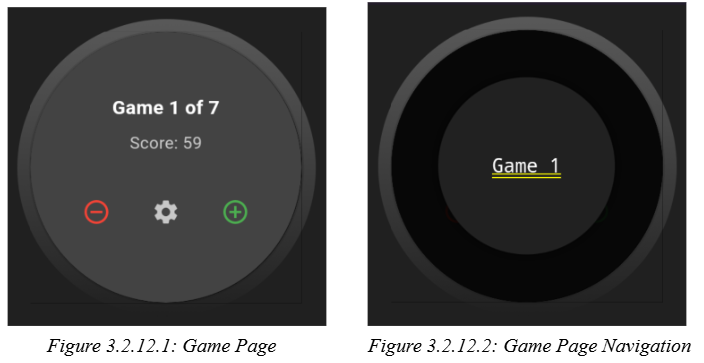
The game page, as shown in Figure 3.2.12.1, is implemented as a GameShell stateful widget, encapsulating the logic for game selection, navigation, and dynamic game management within a session. It subscribes to the SessionController for reactive updates, ensuring the active game index is always valid relative to the current session state. The page supports gesture-based navigation, with vertical swipes mapped to transitions between the Game and Frame pages, and long-press to enter a carousel game selection overlay. The BowlingGame widget displays the current game’s metadata and provides controls for incrementing or decrementing the number of games in the session, as well as accessing settings. The user can swipe up on this page to access the frame page.