Establishment Page
Establishment Page
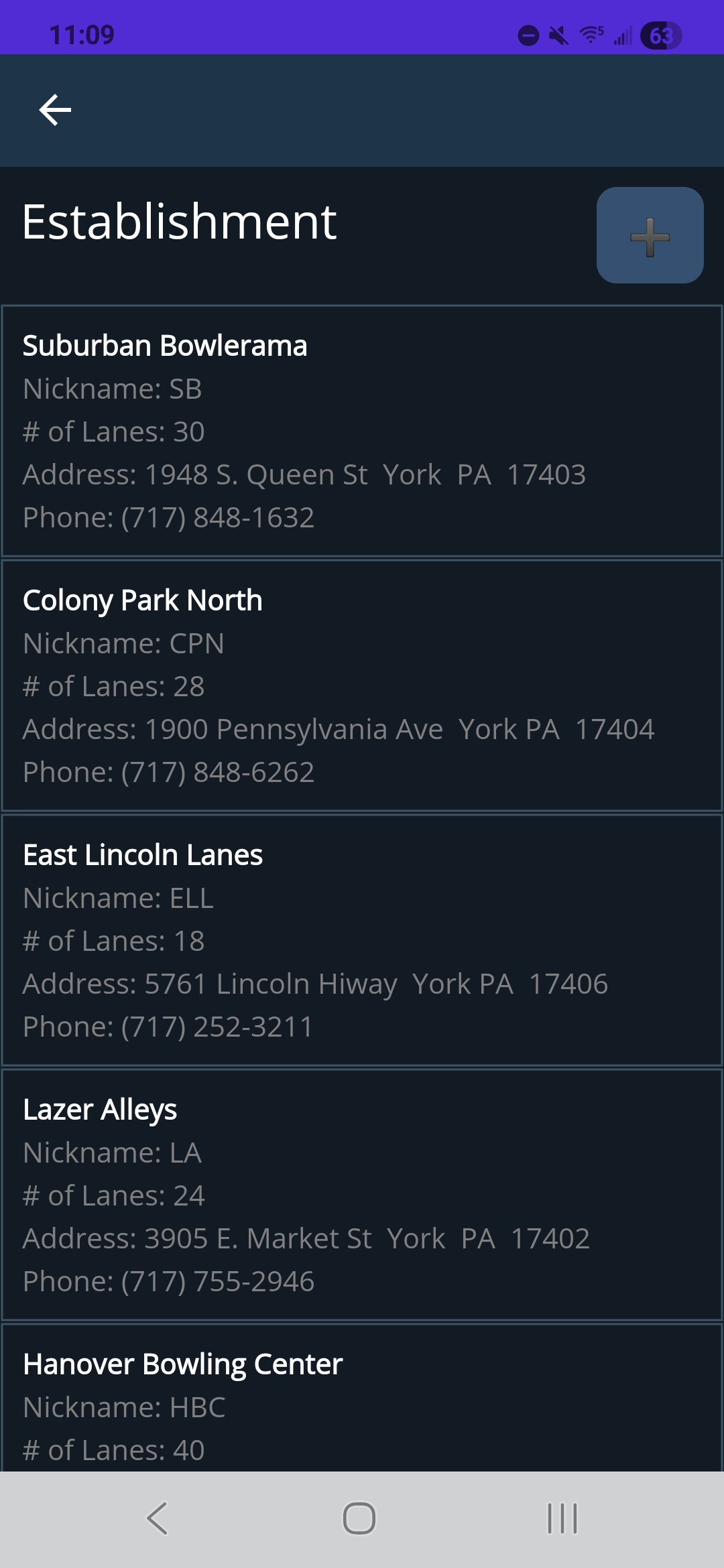
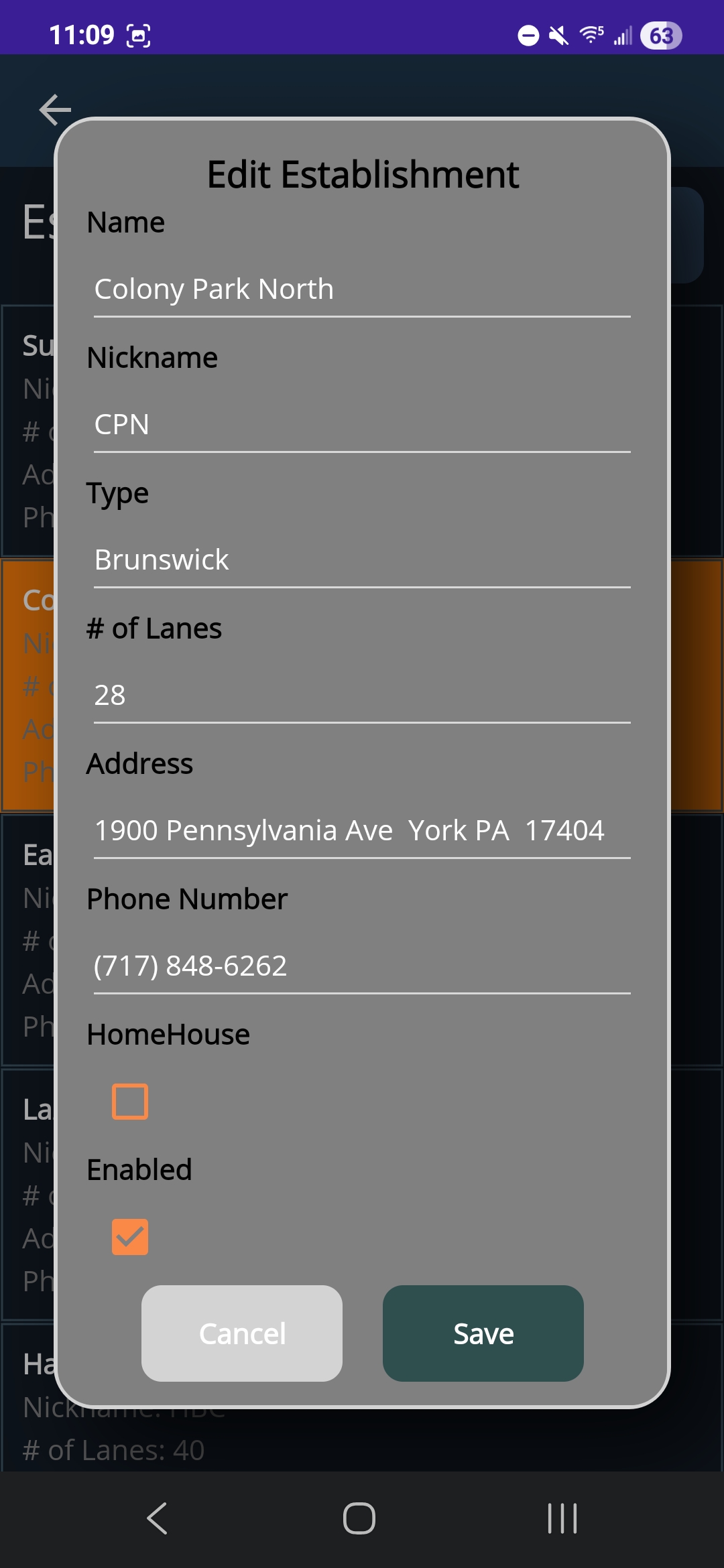
The Establishment page provides users with a comprehensive overview of their available Establishments. This interface displays key attributes for each establishment including the name, nickname, number of lanes, address, and phone number. To register a new establishment, users can select the “+” button located in the upper-right corner of the page, which opens the popup shown below. Within this form, users are prompted to enter the establishments identifying information: name, nickname, address, phone number, number of lanes, type, and the ability to specify if this is the user’s home house. Upon selecting the “Register Establishment” button, the system stores the entry and updates the Establishment display to include the newly registered establishment. Users also have the ability to edit establishment information by clicking on an establishment from the list. An ‘Edit Establishment’ popup is opened, allowing users to edit any of the information or disable an establishment. If an establishment is disabled, the name shows up in red on the main page.
| Establishment Page | Establishment Registration Popup |
|---|---|
|
|