Frame Page
Frame Page
 |
|---|
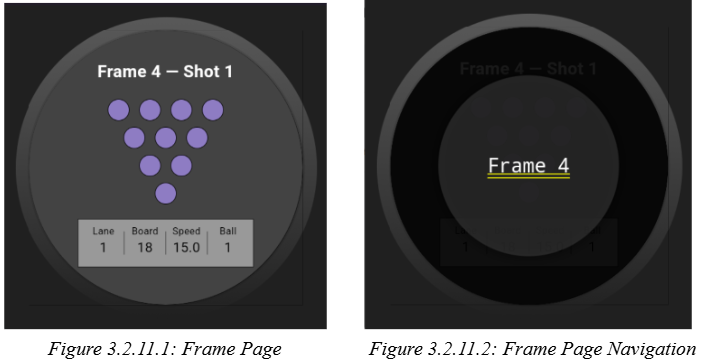
The Frame Page is architected around the FrameShell stateful widget, which orchestrates frame navigation, selection, and shot entry within a game context. It leverages the SessionController for global state synchronization, using a ListenableBuilder to trigger UI rebuilds on session changes. The page maintains local state for the currently viewed frame, selection mode, and manual navigation flags, enabling both real-time and retrospective frame inspection. Gesture detection is implemented for vertical swipes (to transition to the Game Page) and long-press (to activate frame selection mode) as seen in Figure 3.2.11.2, with haptic feedback for enhanced UX. The core UI is a stack containing the BowlingFrame widget, which itself manages a PageController for horizontal paging through shots within the frame. The shot slot logic is dynamically computed based on frame index and game state, with special handling for the 10th and 11th frames to accommodate strike/spare rules. The overlay for frame selection is conditionally rendered, and the page ensures that navigation, shot input, and state transitions are robustly synchronized with the session model, including clamping indices and handling edge cases for out-of-bounds navigation. The Info Bubbles at the bottom as seen in Figure 3.2.11.1 are used as indicators for the bowlers of their stats for the shot that they just threw. These can be accessed by swiping left to the previous shot.